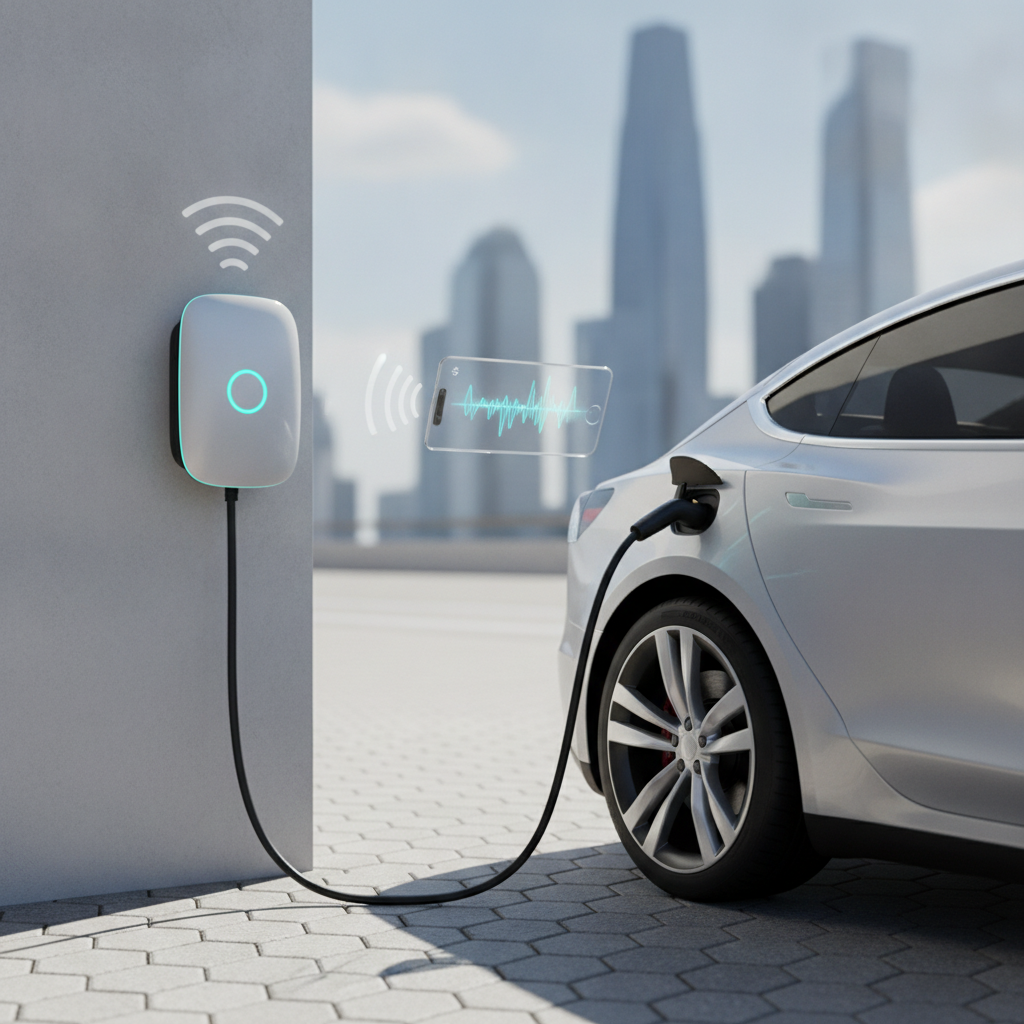
Not long ago, an EV charger was basically a fancy outlet. You plugged in, walked away, and hoped the car was full in the morning. Today’s smart chargers behave more like connected appliances. They join your Wi-Fi network, talk to your phone, track every kilowatt-hour, and can even shift charging to the hours when electricity is cheapest. For anyone planning an EV Charging Station Installation Syracuse NY residents and business owners can rely on, understanding these features before you buy is just as important as picking the right amperage.
Smart does not automatically mean better, though. A connected charger that drops offline every time the router hiccups, or an app that never syncs with your utility, can be more frustrating than a simple plug-in unit. Meanwhile, a business owner who wants to bill customers or report usage needs very different software than a homeowner who just wants a full battery by 7 a.m.
This guide walks through how smart EV chargers actually work, what Wi-Fi and cellular connectivity mean in a real garage or parking lot, how apps and energy monitoring change the ownership experience, and what developers and property owners should ask before committing to hardware. Whether you are a general reader curious about the technology or a small business weighing a customer-facing station, you will leave with a clearer picture of what to look for and what to skip.
What Makes an EV Charger Smart
A basic charger simply delivers power when the car asks for it. A smart charger adds a small computer, a communication radio, and software that sits between the wall and your vehicle. That extra layer is what unlocks scheduling, remote control, usage reports, and firmware updates that improve the unit over time.
Most smart models include a few core capabilities. They can start and stop a session from a phone, report how much energy was delivered, and adjust their output on command. Many also support open communication standards so they can plug into a larger management platform later, which matters if you expect to add more stations down the road.
The hardware itself still has to be installed safely, and that part never becomes optional. Proper circuit sizing, grounding, and breaker selection are the foundation, and software cannot fix a poorly wired circuit. If you are planning EV charger installation Cicero NY or anywhere nearby, the electrician’s job is to match the circuit to the charger’s rated output and confirm the connectivity features will work in your specific space.
How Wi-Fi Connectivity Works in a Garage
Wi-Fi is the most common way a home charger reaches the internet, and it is also the most common source of complaints. Garages are tricky places for wireless signals. Concrete walls, metal doors, insulation with foil backing, and the distance from the router can all weaken the connection to the point where the charger keeps dropping offline.
Most smart chargers use the 2.4 GHz band because it travels farther and penetrates walls better than 5 GHz. That is worth knowing if your router combines both bands under one network name, since some chargers struggle to join in that situation. A quick fix is often creating a dedicated 2.4 GHz network for connected devices.
Before installation day, test your signal where the charger will hang. Stand at the planned location with your phone and run a speed check. If the signal is weak, a mesh node or a small Wi-Fi extender in the garage usually solves it. A good electrician will ask about this early, because moving a charger a few feet or running a data cable can save you months of dropped connections and missed schedules.
Ethernet and Cellular: Connection Options Beyond Wi-Fi
Wi-Fi is convenient, but it is not the only option, and for some sites it is not the best one. Many commercial-grade chargers offer a wired Ethernet port, which is the most stable connection available. A cable does not care about thick walls, neighbor interference, or a router that restarts overnight.
Cellular connectivity is the third path, and it is especially useful for parking lots and outdoor stations far from a building. These units carry a built-in modem and a data plan, so they stay online without relying on anyone’s local network. The tradeoff is a recurring subscription, usually bundled into the software fee, and signal strength still matters in remote corners.
For a business planning a public-facing site, EV Charging Station Installation in Syracuse, NY often involves deciding between these options based on where the equipment will sit. A station near a building entrance can tap into existing data wiring, while a unit at the edge of a lot may be better served by a cellular modem. Choosing early prevents trenching or rewiring surprises later.
What the Companion App Actually Does
The app is where most owners interact with their charger daily, so its quality matters more than the spec sheet suggests. At minimum, a good app lets you see whether the car is plugged in, how fast it is charging, and how much energy has been delivered. Better apps add scheduling, notifications, and a history log you can review by day or month.
Scheduling is the feature people use most. Set the charger to wait until overnight rates begin, and you can cut your costs without changing your habits. Notifications are the quiet favorite, letting you know when the car is full or when a session was interrupted by a tripped breaker or lost connection.
For businesses, the app often expands into a dashboard. You may be able to set access rules, limit sessions to employees, set pricing per kilowatt-hour or per hour, and view revenue reports. If you want a hands-on conversation about which platform fits your site, you can click here to reach a local electrician who can walk through the options with you before you buy hardware.
Energy Monitoring and Why It Pays Off
Energy monitoring turns a mystery into a number. Instead of guessing how much your car adds to the electric bill, a smart charger measures each session and reports the kilowatt-hours used. Over a month, those figures let you calculate your true cost per mile and compare it with what you used to spend on gasoline.
The data also helps catch problems early. If a session that normally runs at full speed suddenly slows down, that may point to a loose connection, a voltage issue, or a car-side setting. Trends over time show whether your household usage is creeping up in ways worth discussing with your utility.
One caution is worth stating plainly. Built-in meters in consumer chargers are useful for tracking, but they are not always the same as a utility-grade meter. If you plan to bill customers, reimburse employees, or claim incentives that require verified usage, ask whether the charger’s metering meets the standard your use case needs. Hospitality operators, for example, often care about guest billing accuracy, which is one reason EV Charging Station Installation for Syracuse Hotels and Hospitality Businesses deserves its own planning conversation.
Time-of-Use Scheduling and Smarter Power Sharing
Once a charger can talk to the internet, it can also be told when to work. Time-of-use scheduling shifts the heavy load to the hours when your utility charges less, which is typically overnight. If your plan has different rates by time of day, even a simple weekly schedule can lower the cost of every charge.
Power sharing is the next step up, and it matters most when you have more than one charger on the same service. Instead of installing a larger panel to handle every unit at full output, a smart system divides the available capacity among whichever cars are plugged in. When one finishes, the others speed up automatically.
This approach keeps electrical upgrades smaller and more affordable, which is why property owners with multiple stalls pay close attention to it. For a deeper look at how the strategy plays out across a shared site, EV Charger Load Management Strategies for Syracuse Properties covers the planning side in detail.
Security, Privacy, and Firmware Updates
Anything connected to your network deserves a moment of thought about security. A smart charger collects information about when you are home, how much power you use, and sometimes your account details. Reputable manufacturers encrypt that data and push firmware updates to patch vulnerabilities, but it is worth confirming before you buy.
A few habits keep you safer. Use a strong, unique password on your charger account, and enable two-factor authentication if the app offers it. Keep the charger on your main network only if you trust your router settings, or place it on a guest network to separate it from laptops and phones.
Firmware updates deserve attention too. Some chargers update themselves quietly overnight, while others wait for you to approve the change in the app. Either approach is fine, as long as updates actually happen. Ask how long the manufacturer commits to supporting a model, since a charger that stops receiving updates can slowly become a weak point on your network.
Smart Features Compared at a Glance
Different connectivity and software choices suit different situations. The table below summarizes the most common options so you can match features to your property and goals.
| Feature | Best For | Main Tradeoff |
|---|---|---|
| Wi-Fi connection | Home garages near a router | Signal can drop in thick-walled spaces |
| Ethernet connection | Commercial sites with data wiring | Requires a cable run to the unit |
| Cellular modem | Outdoor and remote parking areas | Ongoing data plan fees |
| Scheduling app | Households on time-of-use rates | Only helps if rates actually vary |
| Power sharing | Multi-charger properties | Cars may charge slower when many are active |
What Small Business Owners Should Ask Before Buying
A customer-facing charger is part equipment, part service, and part marketing. Before choosing a model, decide what you want it to do for the business. Some owners want to attract shoppers who linger longer, others want a perk for employees, and others want a modest revenue stream.
Ask a few pointed questions of any vendor. Who pays the software and network fees, and do they continue after the warranty ends? Can you set pricing, idle fees, and hours of access yourself? What happens to the charger’s features if the network provider changes plans or shuts down?
Open standards deserve special mention. A charger built on widely supported protocols lets you move to a different management platform later without replacing hardware. A locked, proprietary system can leave you stranded if the company pivots. It is a small question that can save a large expense, and your electrician can help you evaluate the answers.
A Developer’s View on Integration and Open Standards
For developers and technically minded readers, the interesting part of a smart charger is the protocol layer. Many commercial units communicate using the Open Charge Point Protocol, often shortened to OCPP, which standardizes how chargers report status and receive commands from a central system. Support for it makes a charger far more flexible over its lifetime.
Some home models also expose local APIs or connect to home energy platforms, which lets you tie charging to solar production, battery storage, or a whole-home energy monitor. That opens creative possibilities, such as charging only when rooftop panels are producing surplus power.
If you are building integrations or evaluating hardware for a larger deployment, check the documentation before you buy. Look for clear API access, reasonable rate limits, and a manufacturer track record of maintaining their cloud services. Hardware lasts a decade or more, so the software ecosystem around it should be built to last as well.
Troubleshooting Common Smart Charger Problems
Even well-installed smart chargers occasionally misbehave, and most issues have simple causes. When the app shows the charger offline, start with the basics. Check that the router is working, then confirm the charger still has power and shows its normal status light. Restarting the charger at its breaker often clears a stuck connection.
If sessions start but run slowly, look at the car’s own settings first, since many vehicles have a charge limit or schedule that overrides the charger. A slow session can also point to a hot connector, a voltage drop, or a circuit shared with other loads. Persistent slowdowns are worth a visit from an electrician rather than repeated resets.
Keep a short log of when problems happen. Patterns, such as dropouts every evening when the household streams video, give a technician valuable clues. Registering your product, saving the installer’s contact details, and keeping the app updated will make future troubleshooting faster and far less stressful.
Bringing It Together
Smart EV chargers are genuinely useful when the features match the way you live or run your business. Wi-Fi, Ethernet, or cellular connectivity keeps the unit reachable. A well-designed app turns scheduling and notifications into everyday conveniences. Energy monitoring gives you real numbers instead of guesses, and power sharing keeps electrical upgrades reasonable when more than one car needs a plug.
The best approach is to start with your goals, then let the technology follow. A homeowner who wants a full battery each morning may only need reliable Wi-Fi and a simple schedule. A shop owner courting customers will care about billing, access rules, and dependable metering. A developer planning multiple stalls should lean toward open standards and load management from day one.
Whatever you choose, remember that software sits on top of a physical installation. Proper circuit sizing, safe wiring, and a sensible location come first, and connectivity should be tested at the exact spot where the charger will live. Take time to compare models, ask hard questions about fees and long-term support, and work with a licensed electrician who understands both the wiring and the smart features. Do that, and your charger will quietly do its job for many years while your phone shows you exactly what it is up to.